 176下载网
msocache是什么文件夹?能不能删除,如何删除msocache文件夹?
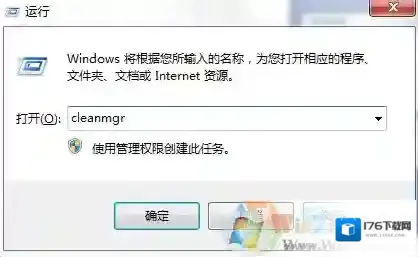
最近有用户反馈Win7系统电脑C盘多了一个msocache文件夹,查看了下体积,还不小那么这个msocache是什么文件夹,能不能删除?不要急,下面小编给出了msocache相关知识,对大家会有些帮助的。msocache文件夹其实是我们在安装office软件时所留下的临时文件,如果磁盘空间不太多的话,我们可以将其清理掉。下面小编就给大家分享下清理方法。删除msocache文件夹步骤:1、按下“Win+R”组合键呼出运行,在框中输入“cleanmgr”按下回车键打开“磁盘清理工具”;
Windows7文件夹
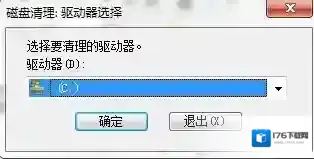
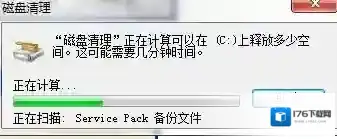
2、在磁盘清理界面选择需要清理的磁盘盘符,点击确定之后,清理工具会开始搜索无效的文件;
Windows7是什么
Windows7框中
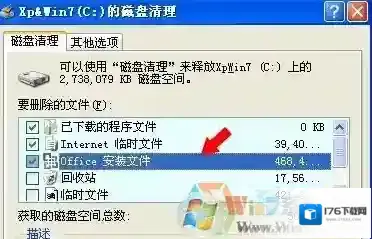
3、在搜索出来的内容中勾选“office 安装文件”,我们还可以勾选其他需要清理的文件,点击确定之后在弹出的框中点击“删除文件”,便会开始清理了;
Windows7点击

Windows7小编
清理了msocache文件夹就可以释放不少C盘空间了。
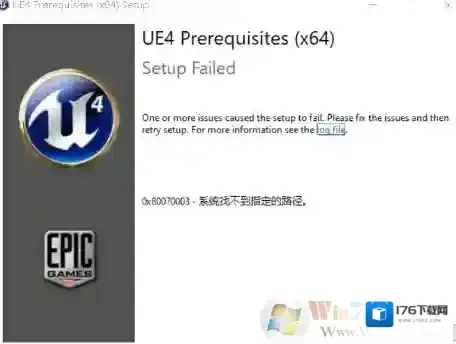
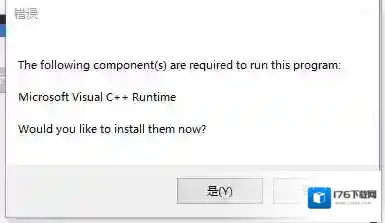
玩steam游戏时提示需要the following component(s)are required to run this program如何解决
Windows7运行库修复
Windows7游戏
出现这种问题一般是由于系统缺少VC++运行库导致的,此时即使重新安装游戏此问题也不会解决。
工具Windows 7 64位操作系统任意浏览器操作流程1. 打开浏览器搜索C++运行库下载

Windows7如何解决
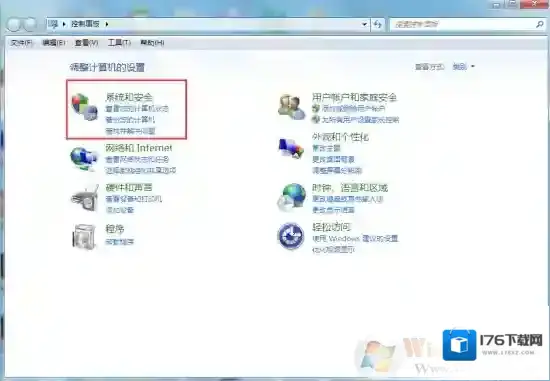
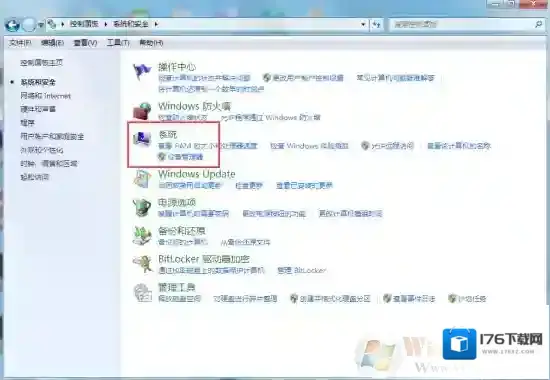
2.打开控制面板,确定Windows系统和位数
Windows7小伙伴们
Windows7助手
3.安装对应自己电脑版本的VC++运行库4.重启软件
解决方法二:
工具快快运行库修复助手(下载地址:快快运行库修复助手)操作流程1.下载快快运行库修复助手,点击运行库修复一键扫描2.扫描完成后点击修复即可

3. 重启该软件
玩侠盗猎车手5时出现xinput1_3.dll丢失的弹窗时该如何解决?